
How to Check NOL Card Balance History
If you travel regularly in Dubai, the NOL card is one of the most important tools for using public transport with comfort. It is accepted on the metro, buses, trams, and even at selected retail locations. Its transaction history helps you avoid delays, unexpected low balance problems, and travel disruptions during your daily commute.
Many users want a quick and reliable way to check their NOL card balance history online. Fortunately, there are some options available, including the RTA official site, NOL Pay app, kiosks, and vending machines. These methods allow you to check recent transactions, recharge records, and available balance in just a few steps.
By checking your card history, you can stay informed about how much of your balance you can use and when you need to top up again. This improves your overall habit planning and makes it easier for you to make more purchases.
Types of Transactions You’ll See
Your NOL card records a variety of transactions, including these steps;
- Fare payments – Every metro, tram, bus, and water bus ride is automatically recorded in your NOL Card balance history, helping you track your daily transport spending in Dubai.
- Retail purchases –Your NOL Card records every cashless payment made at over 2,000 shops, restaurants, cafes, and vending machines across Dubai, giving you a clear overview of your non-transport spending.
- Top-ups – Every recharge made via ticket vending machines, the NOL Pay App, or the RTA website is recorded instantly, helping you monitor when and how much balance you have added to your card.
- Refunds or cancellations – Any applicable refunds due to overpayments, duplicate charges, or technical errors are clearly recorded in your transaction history. Your NOL Card balance always remains accurate.
This gives you a complete photo of how and where your card is being used.
These transaction details help you clearly understand your daily travel and spending patterns, making it easier to manage your balance efficiently.
Why Check Your NOL Card Balance History?
Your NOL card tracks the journey of the transaction. By checking your history regularly, you can:
- Monitor spending patterns; See how much you spend on metro, buses, and trams.
- Spot unauthorised charges; Review if there are any unusual deductions.
- Plan smarter commutes; Analyze past trips to optimise your routes.
- Track top-ups; Confirm when and how much money you’ve added to your card.
In short, keeping an eye on your history helps you stay in control of your budget and for smooth travel. Regularly checking your NOL card balance history helps you stay financially alert and avoid unexpected balance issues during travel.
How to check the NOL card balance
The following are the methods for checking the NOL card balance through the website.
Via the Nol Pay App
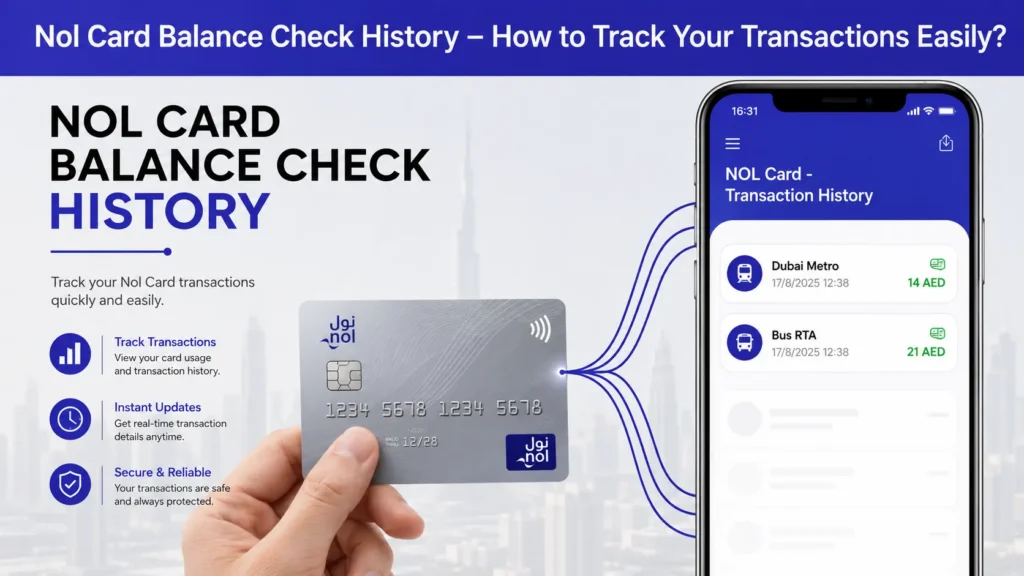
Get your card information instantly by installing the Nol Pay app. In a matter of seconds, quickly check your remaining balance, travel Nol history, and fares. The app provides a quick way to access all your card details in one place without visiting any station.
Via RTA Mobile Apps
To view balance history instantly, use the RTA Dubai app or the Nol Pay app. At any time from any location, view recent travel top-ups and fare deductions. throughout customer service centers and metro stations.
Metro stations and RTA centers make it simple to check your Nol Card history. Get your information, check your past travel records, and effectively manage your balance.
Visit the official RTA
Visit the official RTA website to view your Nol Card balance history. Online access to travel information, fare deductions, and recharge details is simple. This method is reliable and accessible from any device and any place, allowing you to check your details anytime without installing an app.
Via the RTA Dubai App
This is a very quick way to check your Nol Card; simply download the official RTA Dubai app. Use your smartphone to view balance updates, top-up information, and transaction history at any time.
Via text message
You can quickly check your balance while on the go by sending an SMS to 511 with your Nol Tag ID.
Customer service offices
For individualised help with your travel-related questions and to obtain a comprehensive Nol Card balance history, visit any of the RTA customer service locations located throughout Dubai.
Vending machines for tickets
You can easily view your Nol Card balance, trip history, and recent top-ups by using the ticket vending machines found at bus and metro stations.
Machines that sell tickets
For speedy NOL Card checks, use TVMs at bus or metro stations. Instantaneously view recent trips, fare history, and top-up records on the screen.
Customer service centres run by RTA
For complete NOL Card information, visit the local RTA customer centres. Employees can help with travel account problems, validate transactions, and provide printed reports.
At customer service offices and metro stations
Check Nol Card Balance history, recharge details, and comprehensive travel transactions quickly and easily by visiting Dubai Metro stations or RTA centres.
Vending machines for tickets (TVM)
Anytime you want to see Nol Card fare deductions, balance updates, and recent travel activity, use the TVMs that are available at bus or metro stations.
How Ticket Vending Machines Are Used
Select Transaction History, pick a date range, and view all of the journey details instantly by tapping or inserting your Nol Card into the reader.
Assistance to Customers at RTA Centres
RTA agents can promptly help with lost or damaged cards, check balance concerns, and print your Nol Card statement.
Advantages of NOL Card Checks Done in Person
For customers who prefer in-person support in Dubai, checking in person guarantees precise information, immediate troubleshooting, and individualised assistance.
Through SMS
Check your Nol Card balance with ease by sending an SMS. When you don’t have internet access, it’s efficient, dependable, and ideal.
Create a Nol Card registration
To enable the SMS balance service, first register your Nol Card on the official RTA system with your mobile number.
To check your balance, send an SMS
Enter your Nol Tag ID along with Balance or Bal, then send it to 511. Get an instant update on your Nol balance.
NOL Card Minimum Balance Requirement
Your NOL Card must always have a minimum balance of AED 7.50 to be used for travel in the Dubai network. If your balance is less than this amount, you will not be able to start your next travel. It is recommended to top up your card routinely and check your NOL card balance history before starting your journey to avoid any issues.
NOL Card Expiry and Renewal Information
Every NOL Card comes with a credibility period, and it is important to be informed of when your card expires to avoid any disturbance to your trip. Generally, NOL Cards are valid for 10 years from the date of issue. Upon expiry, you can visit any RTA customer service center to renew your card and transfer your leftover balance to a new one. It is noted that your transaction history may not be carried over after renewal, so it is recommended to save your records before your card expires.
Conclusion
Routinely checking your NOL Card balance and history is a necessary habit for anyone travelling in Dubai. Whether you prefer the advantage of the NOL Pay App, the RTA website, SMS, ticket vending machines, or RTA customer service centres, there is an easy method available for you. Top of your balance and avoiding unexpected travel disruptions also allows you to manage your budget. Make it a routine to check your NOL Card history regularly and enjoy stress-free travel in Dubai.